
Mapify
Turns PDFs, YouTube videos, web pages and audio into editable AI mind maps
Facts checked · 6 sources · Report a correction
What is Mapify?
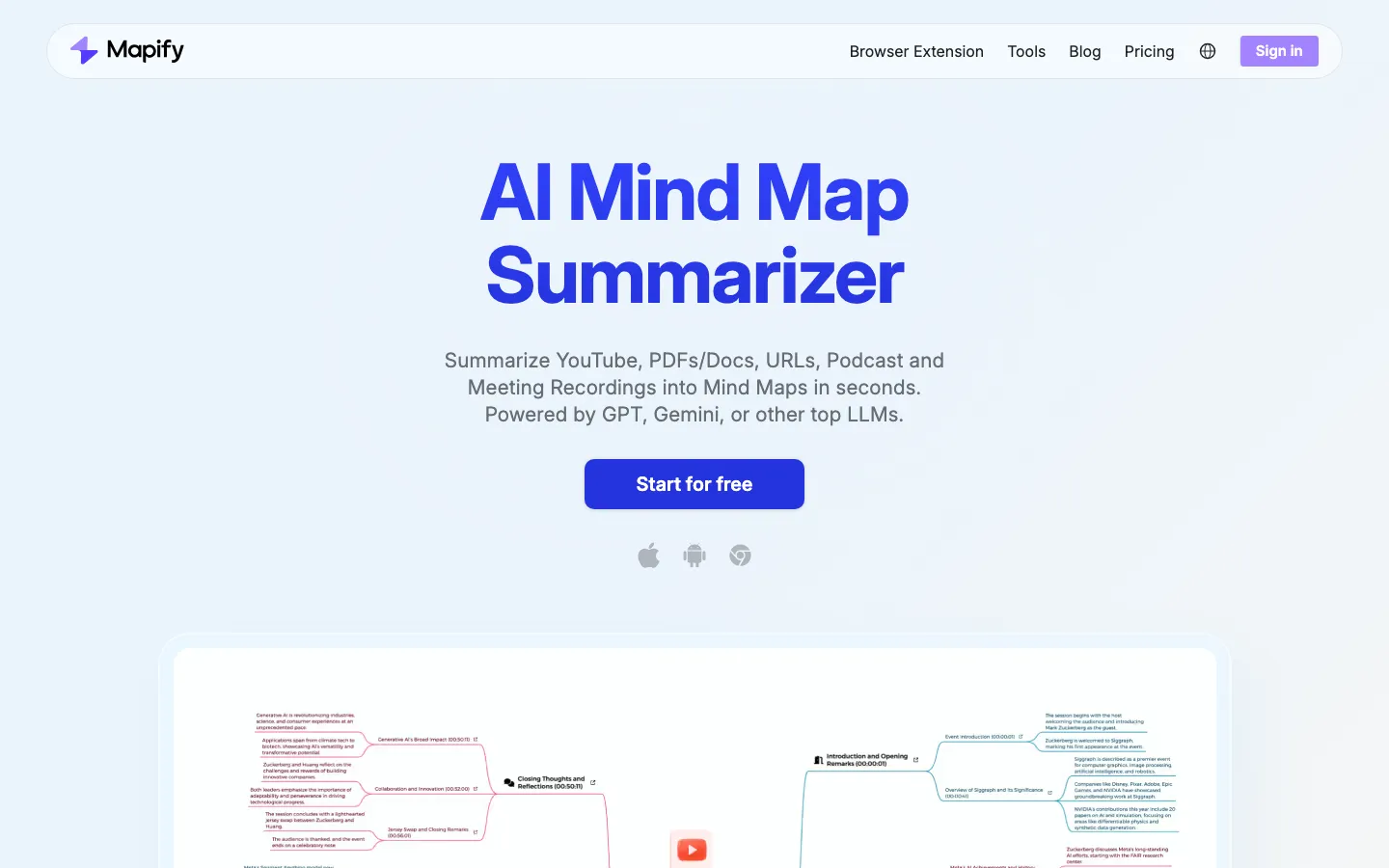
Mapify is an AI summarizer from the team behind Xmind, and it grew out of their earlier Chatmind app. You give it a PDF, document, YouTube link, web page, audio or meeting recording, image or plain text, and it returns a mind map of the main points that you can edit, chat with, turn into slides, or export as an image, PDF or Markdown. It runs in the browser, as a Chrome extension and in iOS and Android apps, with one subscription across them. The free plan gives 30 one-time credits.
Our take
Mapify suits people who understand material better as an outline: it turns long PDFs, videos and recordings into maps you can edit and present. The free tier is a one-time sample rather than an ongoing plan, and audio and image summaries need the Pro plan at US$19.99 a month (US$11.99 billed yearly).
Who it is for
- Students summarizing lectures, papers and long readings
- Researchers and analysts who need the outline of a long document quickly
- Teams turning meeting recordings into structured notes
- Xmind users who want AI-generated maps
Key features
Many input types
Builds maps from PDFs, documents, YouTube videos, web pages, audio, images and text.
Editable mind maps
Lets you rearrange branches and change the layout, with keyboard shortcuts.
Chat with your content
Answers questions about the source document next to the map.
Web search
Adds information and source links from the web to a map.
Slides mode
Turns a map into a presentation in one click.
Export and sharing
Saves maps as image, PDF or Markdown files, or shares them by link.
Multilingual maps
Generates and translates maps in more than 30 languages.
Mapify pricing
Mapify has a free option. Paid use starts at US$9.99/month (US$5.99/month billed yearly).
| Plan | Price | What you get |
|---|---|---|
| Free | US$030 one-time AI credits; up to 5 documents and 5 YouTube videos; map editing | 30 one-time AI credits; up to 5 documents and 5 YouTube videos; map editing |
| Basic | US$9.99/month, or US$5.99/month billed yearlymonthly1,000 AI credits a month, PDF and YouTube summaries, PDF/Markdown/SVG export, slides | 1,000 AI credits a month, PDF and YouTube summaries, PDF/Markdown/SVG export, slides |
| Pro | US$19.99/month, or US$11.99/month billed yearlymonthly2,000 AI credits a month, stronger model, audio and image summaries, deep research, AI chat, image generation | 2,000 AI credits a month, stronger model, audio and image summaries, deep research, AI chat, image generation |
| Unlimited | US$29.99/month, or US$17.99/month billed yearlymonthlyUnlimited AI credits, priority support and early access to features | Unlimited AI credits, priority support and early access to features |
Credits reset monthly and do not roll over. One subscription covers web, browser extension and apps. Students get 30% off. In the iOS app, yearly plans cost $71.99 (Basic), $143.99 (Pro) and $214.99 (Unlimited).
Prices as published by the maker on Nov 21, 2026 · pricing page. Taxes and regional prices may differ.
Pros and cons
What works
- Accepts a wide range of sources, including YouTube videos and audio
- Maps stay editable and can become slides
- One subscription works across web, extension and mobile apps
- Clear published prices, with 40% off on yearly billing
What to watch
- The free plan is 30 one-time credits, not a monthly allowance
- Credits do not roll over between months
- Audio and image summaries and the stronger model need the Pro plan or higher
- The privacy policy does not say whether uploaded content is used to train AI
How to use Mapify
- 1
Sign up at mapify.so, or install the mobile app or Chrome extension.
- 2
Upload a file, paste a YouTube or web link, or type a prompt.
- 3
Let Mapify build the mind map, then edit the branches as needed.
- 4
Chat with the source, switch to slides, or export as an image, PDF or Markdown.
Is Mapify safe?
Privacy policy (last updated January 24, 2025) is from Supermind Pte. Limited, Singapore. It covers contact, account and payment details (payments go through Stripe), keeps data only as long as needed for its stated purposes, and lets users request deletion. It does not say whether uploaded files are used to train AI models.
Mapify alternatives
Also worth a look
- NotebookLM Google's free research notebook that can build mind maps from your sources.
- GitMind Mind-mapping app with AI that turns documents into maps.
- Whimsical Whiteboard and mind-map tool with AI map generation.
- MindMeister Long-running online mind-mapping app with AI idea generation.
More in Productivity & Work

GetTheScript
Turns TikTok, Reels, Shorts and Facebook video links into text transcripts and subtitles
Free plan · $9.99 one-time (200 credits)

Ripdex
Scan Pokémon cards with your phone to see what they're worth and track your collection
Free plan

God of Prompt
Free library of copy-paste AI prompts, plus paid toolkits and a one-time bundle
Free plan · $10 one-time
Mapify FAQ
Is Mapify free?
There is a free plan with 30 one-time AI credits, which covers up to 5 documents and 5 YouTube videos. Paid plans start at US$9.99 a month, or US$5.99 a month billed yearly.
Is Mapify made by Xmind?
Yes. Mapify comes from the Xmind team and replaced their earlier Chatmind app. Its privacy policy names Supermind Pte. Limited in Singapore, and the App Store seller is Xmind Ltd.
Does Mapify have an app?
Yes. It has iOS and Android apps and a Chrome extension, and one subscription covers the web app, extension and apps.
Can Mapify summarize YouTube videos?
Yes. Paste a YouTube link and it builds a mind map of the video; the free plan covers up to 5 videos.
Does Mapify have a student discount?
Yes. Its pricing page offers students 30% off.