HeyGen
AI avatar videos plus lip-synced video translation into 175+ languages
Read this first. Only make a face say words with that person’s permission. Putting words in a real person’s mouth without consent can be illegal and breaks this tool’s own rules. More on safety
Facts checked · 23 sources · Report a correction
What is HeyGen?
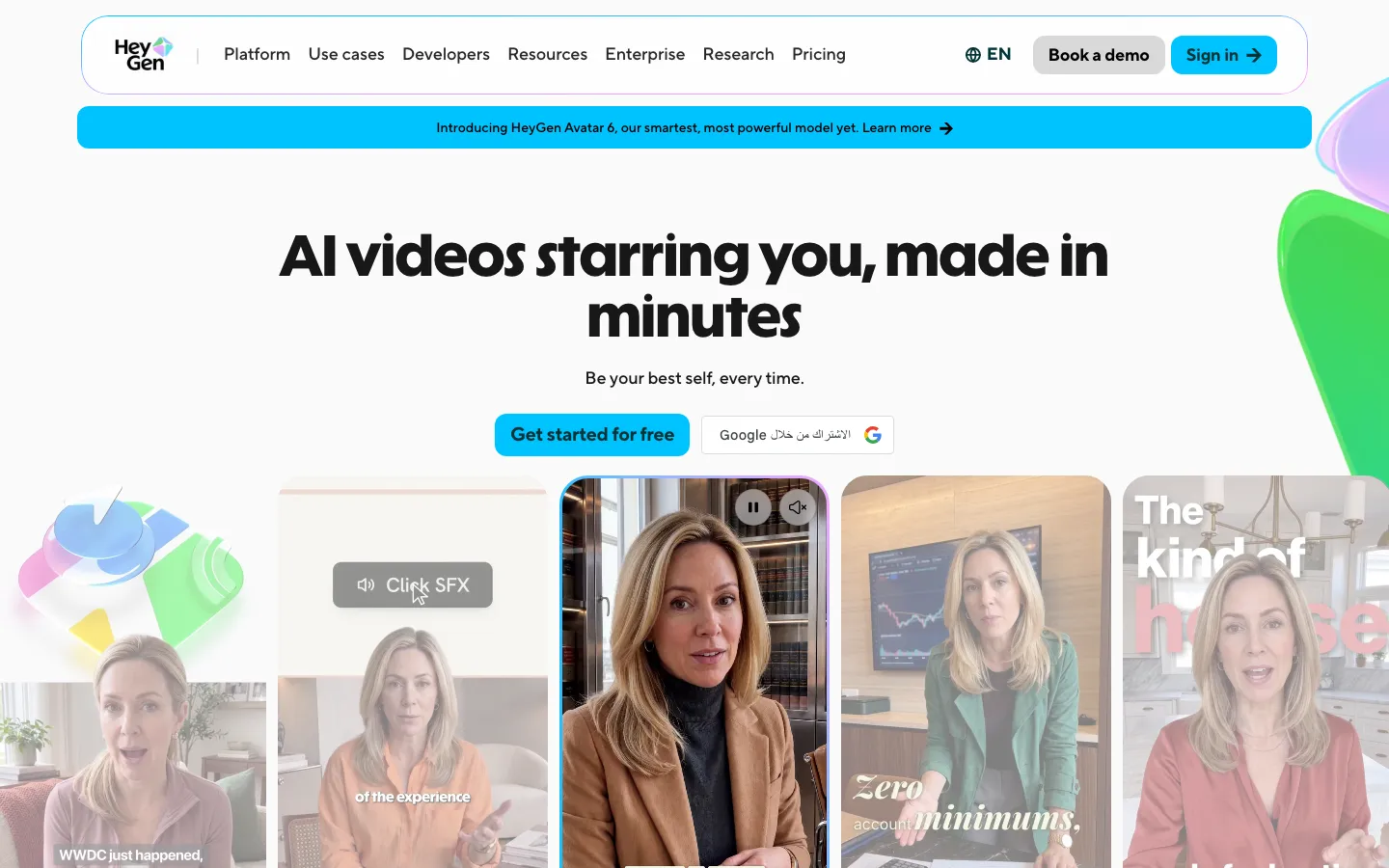
HeyGen is an AI video platform based in Los Angeles, founded in 2020 by Joshua Xu and Wayne Liang. Its main product turns a script into a presenter video using stock avatars or a custom digital twin of you. For lip sync, it translates an uploaded or YouTube video into 175+ languages and dialects in a clone of the speaker's voice and redraws the mouth to match, or re-syncs any clip or photo to new audio. It runs on the web, iOS and Android, with a separate pay-as-you-go API.
Our take
HeyGen is best for two lip-sync jobs: translating existing talking-head videos in the speaker's cloned voice, and producing avatar presenters from a script. The catch is credit math, since each feature and quality mode uses credits at a different rate, and its Face Swap and photo lip sync lack the consent check it applies to digital twins.
Who it is for
- Marketing, training and sales teams turning scripts into presenter videos
- Creators translating existing videos into other languages with matching lips
- Companies that want a consented digital twin of a speaker instead of reshoots
- Developers adding avatar or translation video through an API
Key features
Video translation
Translates an uploaded file or YouTube link into 175+ languages and dialects, clones the speaker's voice and lip-syncs the result.
Lip sync tool
Redraws mouth movement on your own video or a single photo to match new audio or a script, with output up to 4K on higher plans.
Speed or Precision modes
Lip-synced translation costs 6 credits a minute in Speed mode or 10 in Precision; without lip sync it costs 4.
Avatar 6 presenters
Script-driven videos with stock presenters or a custom avatar, in Turbo and Pro quality tiers.
Consent-checked digital twin
A custom video avatar needs a consent video recorded by the same person who appears in the footage.
Script proofreading
An Edit and Review step lets you correct the translated script before the final render.
Voice cloning
Clones a voice for narration across languages; the Pro plan includes one professional voice clone.
HeyGen pricing
HeyGen has a free option. Paid use starts at $29/month ($24/month billed annually).
| Plan | Price | What you get |
|---|---|---|
| Free | $03 watermarked videos a month up to 1 minute each, Avatar 6, one custom avatar, 30+ languages | 3 watermarked videos a month up to 1 minute each, Avatar 6, one custom avatar, 30+ languages |
| Creator | $29/month, or $24/month billed annuallymonthly600 credits, 1080p export, no HeyGen branding, 175+ languages, credits roll over one month | 600 credits, 1080p export, no HeyGen branding, 175+ languages, credits roll over one month |
| Pro | $49/month, or $39/month billed annuallymonthly1,000 credits, Avatar 6 Pro, 4K export, videos up to 30 minutes, 1 professional voice clone | 1,000 credits, Avatar 6 Pro, 4K export, videos up to 30 minutes, 1 professional voice clone |
| Business | $149/month, or $119/month billed annuallymonthly1,500 credits, videos up to 60 minutes, 5 custom avatars, SSO, extra seats $20/month each | 1,500 credits, videos up to 60 minutes, 5 custom avatars, SSO, extra seats $20/month each |
Credits pay for every feature. Lip-synced translation costs 6 credits a minute (Speed) or 10 (Precision); Avatar 6 Turbo costs 20 credits a minute at 720p or 1080p. Monthly plan credits roll over one extra cycle; Business plans can top up at $0.05 a credit ($5 for 100). Enterprise is custom. API usage is a separate pay-as-you-go purchase; the lip-sync page lists $0.84 to $1.74 per minute. The translation page still describes a free allowance of 3 videos up to 3 minutes, unlike the pricing page's 1-minute limit.
Prices as published by the maker on Nov 21, 2026 · pricing page. Taxes and regional prices may differ.
Pros and cons
What works
- Avatars, voice cloning, translation and lip sync sit in one app, with web, iOS and Android access.
- The free plan lets you try Avatar 6 and translation with three watermarked one-minute videos a month.
- Digital twins need a consent video from the person shown, and content passes ML and human review.
- Translation takes a file or a YouTube link and lets you proofread the script before rendering.
What to watch
- Credit cost depends on feature and mode, from 4 to 58 credits a minute, so plan minutes vary.
- Free videos are watermarked and capped at 1 minute, and API use is a separate purchase.
- Face Swap and lip sync on uploaded photos or footage have no documented consent check.
- Payments are generally non-refundable, and unused annual months aren't prorated on cancellation.
How to use HeyGen
- 1
Sign up at heygen.com; the free plan allows three watermarked one-minute videos a month.
- 2
For translation, upload a video or paste a YouTube link and pick the target language.
- 3
Choose Speed or Precision lip sync, then use Edit and Review to fix the translated script.
- 4
Render, preview and download the dubbed video; credits are deducted per minute of output.
- 5
For new presenter videos, pick a stock avatar or record a digital twin with a consent video, then type your script.
Is HeyGen safe?
HeyGen checks consent with a recorded video for custom avatars, but its translation and face swap tools work on uploaded footage of anyone. HeyGen's privacy policy (HeyGen Technology Inc., updated October 15, 2026) says it collects videos, voice recordings, facial imagery and biometric data, may use your inputs to train its avatar models, and lets you opt out of that training by emailing its privacy team. It aims to delete data within 72 hours of a request, keeps backups for 60 days, does not sell or share personal data as the CCPA defines it, and is not meant for under-18s. Its trust and safety page says enterprise customers' data is not used to train its AI systems.
HeyGen alternatives
More in AI Video

HeyGen FAQ
Is HeyGen free?
Yes, there is a free plan with three watermarked videos a month, each up to 1 minute. Paid plans start at $29 a month, or $24 a month billed annually.
Does HeyGen do lip sync on my own video?
Yes. Its lip sync tool and video translator redraw mouth movement on uploaded footage or a single photo to match new audio, a script or a translated voice.
How many languages can HeyGen translate into?
Paid plans list 175+ languages and dialects for video translation; the free plan lists 30+ languages.
Is HeyGen safe?
HeyGen requires explicit consent for any likeness or voice it reproduces, checks digital twins with a consent video, and bans political and sexual content. Its privacy policy says inputs may be used to train its models unless you opt out by email, and enterprise customer data is not used for training.
How do I cancel HeyGen?
On desktop, open Settings, go to Plan and Billing, click the arrow next to Manage Billing and choose Cancel Plan. The plan stays active to the end of the billing cycle; subscriptions bought in the mobile app are cancelled there.
Does HeyGen have an app?
Yes. Besides the web app, HeyGen sells subscriptions through iOS and Android apps, and its help center covers App Store and Google Play billing.
Guides that mention HeyGen
Sources
- www.heygen.com/
- www.heygen.com/pricing
- www.heygen.com/translate
- www.heygen.com/tool/create-ai-lip-sync-videos
- www.heygen.com/about
- www.heygen.com/trust-and-safety
- www.heygen.com/moderation-policy
- www.heygen.com/privacy
- en.wikipedia.org/wiki/HeyGen
- help.heygen.com/en/
- help.heygen.com/en/collections/9470441-apps
- help.heygen.com/en/collections/9057650-account-billing
- help.heygen.com/en/collections/9057645-avatars
- help.heygen.com/en/articles/7951446-how-to-use-face-swap-in-heygen
- help.heygen.com/en/articles/12092609-recording-your-consent-video
- help.heygen.com/en/articles/8304807-refund-process-and-policy
- help.heygen.com/en/articles/8304328-how-to-cancel-or-pause-your-heygen-subscription
- help.heygen.com/en/articles/10060327-heygen-api-pricing-credits-explained
- help.heygen.com/en/articles/15126059-how-to-use-credits-on-heygen
- www.synthesia.io/
- sync.so/
- rask.ai/
- www.d-id.com/