
FreeLipSync
Makes a face in a photo or video speak or sing to your audio, text or a cloned voice
Read this first. Only animate faces and voices you have permission to use. Making a real person appear to say something they never said can be illegal. More on safety
Facts checked · 7 sources · Report a correction
What is FreeLipSync?
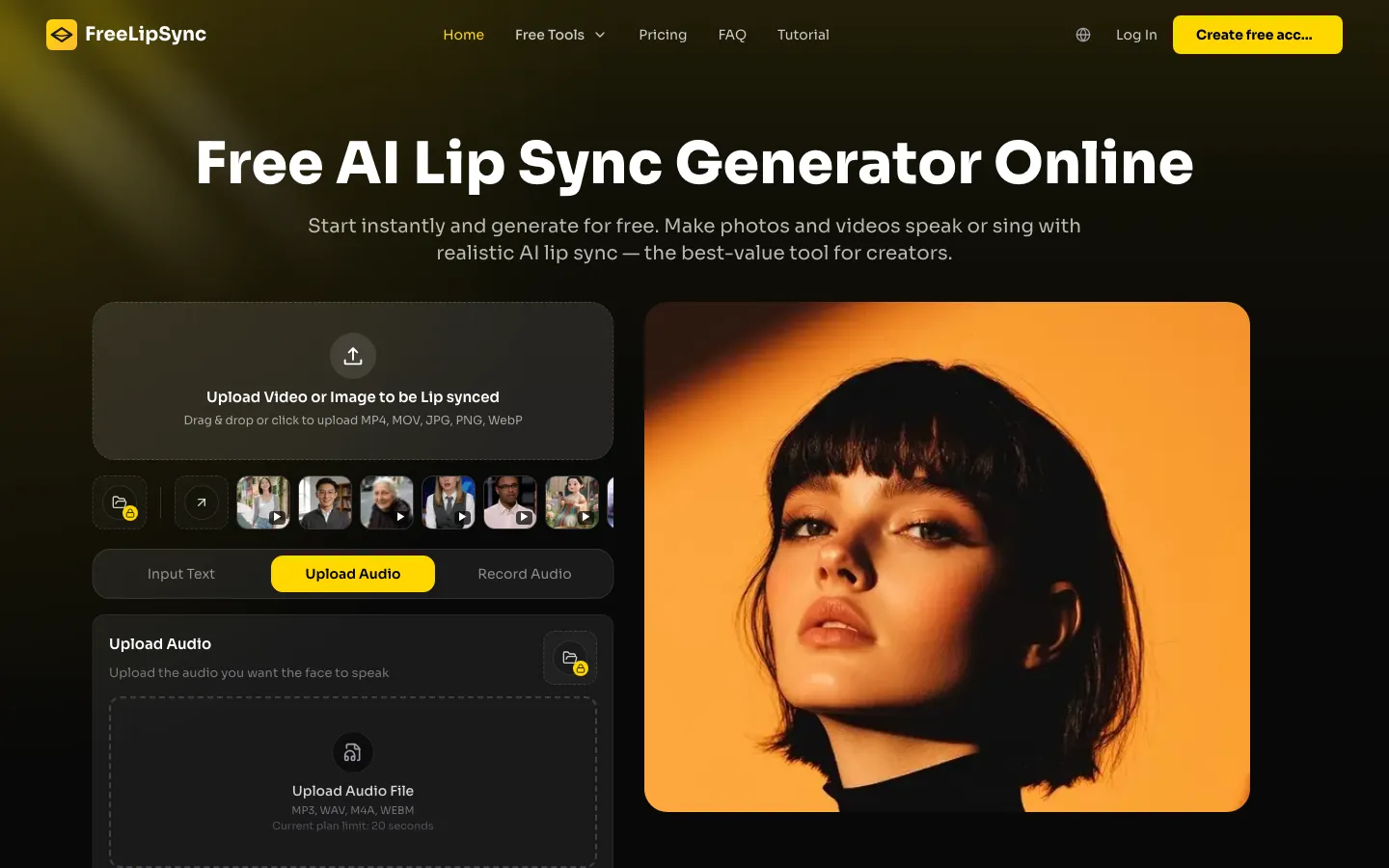
FreeLipSync is a web app that lip-syncs faces to audio. You upload a photo or video and add a recording, typed text or a cloned voice, and it animates the mouth to match. It also makes singing videos, two-person and podcast clips, talking pets and cartoons, and dubs videos into other languages. Free use needs no sign-up and allows clips up to 20 seconds; paid plans start at $9.90/month. A Chrome extension sends images, video frames or audio from any web page to the app. The Chrome Web Store lists Flyworks Technology Limited as its publisher.
Our take
FreeLipSync is a low-cost way to make talking or singing clips, and the free tier is enough to test quality without an account. The main catch is misuse: it will animate any face you give it, and consent rests on a checkbox and the terms. Its privacy policy is also vague on how long faces and voice clones are stored.
Who it is for
- Creators making talking or singing clips for social media
- Marketers and teachers who want a presenter video from a photo and a script
- Video makers dubbing clips into another language
- Developers who want lip sync through an API or MCP
Key features
Audio-to-video lip sync
Matches mouth movement in a face video to a recording you upload.
Talking photos
Animates a still photo, including old photos, pets and cartoons, so it speaks.
Text-to-speech and voice cloning
Turns a typed script into speech with preset voices or a cloned voice.
Singing and music videos
Makes a photo sing, with an AI music generator for the track.
Multi-speaker scenes
Builds two-person, podcast and multi-scene lip-sync videos.
Video dubbing
Replaces speech in a video with another language and re-syncs the lips.
Chrome extension and API
Right-click media on a web page to send it to FreeLipSync; an API and MCP endpoint serve developers and AI assistants.
FreeLipSync pricing
FreeLipSync has a free option. Paid use starts at $9.90/month.
| Plan | Price | What you get |
|---|---|---|
| Free | $0Up to 20 seconds per video, 133 characters of text-to-speech, one video at a time, 50 MB uploads | Up to 20 seconds per video, 133 characters of text-to-speech, one video at a time, 50 MB uploads |
| Starter | $9.90/monthmonthly20 Pro videos a month, up to 3 minutes each, 3 at a time | 20 Pro videos a month, up to 3 minutes each, 3 at a time |
| Pro | $69.90/monthmonthlyUnlimited Pro videos, standard lip sync up to 60 minutes per video, priority queue | Unlimited Pro videos, standard lip sync up to 60 minutes per video, priority queue |
| Creator Pack | $4.99one-time5 Pro videos and 20 audio downloads; never expires | 5 Pro videos and 20 audio downloads; never expires |
| Starter (one-time) | $14.90one-timeOne month of Starter with no renewal | One month of Starter with no renewal |
| Pro (one-time) | $99.00one-timeOne month of Pro with no renewal | One month of Pro with no renewal |
Annual billing saves 17%; yearly prices were not shown in the page text. Enterprise plans with API access and higher concurrency are priced on request. One-time memberships cannot be refunded after activation, and the terms say payments are non-refundable once the paid benefit is delivered. Commercial use applies to outputs made with a paid plan or a Creator Pack.
Prices as published by the maker on Nov 21, 2026 · pricing page. Taxes and regional prices may differ.
Pros and cons
What works
- Free tier needs no sign-up or card, and the site says downloads carry no watermark
- Covers many lip-sync jobs: photos, videos, singing, duets and dubbing
- Low entry price of $9.90/month and a $4.99 pack that never expires
- Pro plan handles standard lip-sync videos up to 60 minutes long
What to watch
- Free clips are capped at 20 seconds and 133 characters of text
- Privacy policy does not say how long uploaded faces, voices or voice clones are kept
- No refunds once a paid benefit is activated
- The website's legal pages do not name the operating company
How to use FreeLipSync
- 1
Open freelipsync.com and pick a tool, such as Audio to Video Lip Sync or Talking Photo.
- 2
Upload a clear photo or video of a face.
- 3
Add audio, type a script for text-to-speech, or choose a cloned voice.
- 4
Generate the video; the site says a typical clip takes about 30 seconds.
- 5
Preview and download, or upgrade for HD and longer videos.
Is FreeLipSync safe?
FreeLipSync can make any face in a photo or video speak, and nothing checks consent beyond a checkbox. Terms ban uploading images or recordings of people without their consent, impersonating others, and presenting a generated video as an unaltered recording. The privacy policy says data is kept only as long as needed for service delivery, billing, compliance and security, and is shared with providers for hosting, storage, payments, analytics and moderation; it does not give retention periods for uploaded faces or voice clones or say whether they train models. The Chrome extension listing says the extension has no account, tracking or analytics.
FreeLipSync alternatives
HeyGen
AI Video
AI avatar videos plus lip-synced video translation into 175+ languages
Free plan · $29/month ($24/month billed annually)
sync.
AI Video
Re-syncs lips in real footage to new audio for dubbing and dialogue fixes
Free plan · $5/month plus usage
Also worth a look
- D-ID Talking-head videos from a photo and a script, plus real-time avatars.
More in AI Video

FreeLipSync FAQ
Is FreeLipSync really free?
Yes, there is a free tier with no sign-up and no card. It allows videos up to 20 seconds and 133 characters of text-to-speech; longer and HD videos need a paid plan.
How much does FreeLipSync cost?
Starter is $9.90/month and Pro is $69.90/month, with 17% off for annual billing. One-time options are a $4.99 Creator Pack and one-month passes at $14.90 (Starter) and $99.00 (Pro).
Does FreeLipSync have a Chrome extension?
Yes. 'FreeLipSync - AI Lip Sync from Any Page' lets you right-click an image, a paused video frame or an audio player and send it to FreeLipSync. It asks you to confirm you have rights to the media before first use.
Can I use FreeLipSync videos commercially?
The terms allow commercial use of outputs made with a paid plan or a purchased Creator Pack. You remain responsible for permissions from anyone shown or heard.
Can I use someone else's photo on FreeLipSync?
Only with their consent. The terms ban uploading images or recordings of people without consent, impersonating others, and presenting generated videos as real recordings.
How many languages does FreeLipSync support?
The site says it supports more than 500 languages and accents.