Bigjpg
Enlarges artwork and photos up to 16x with AI and cleans up noise
Facts checked · 11 sources · Report a correction
What is Bigjpg?
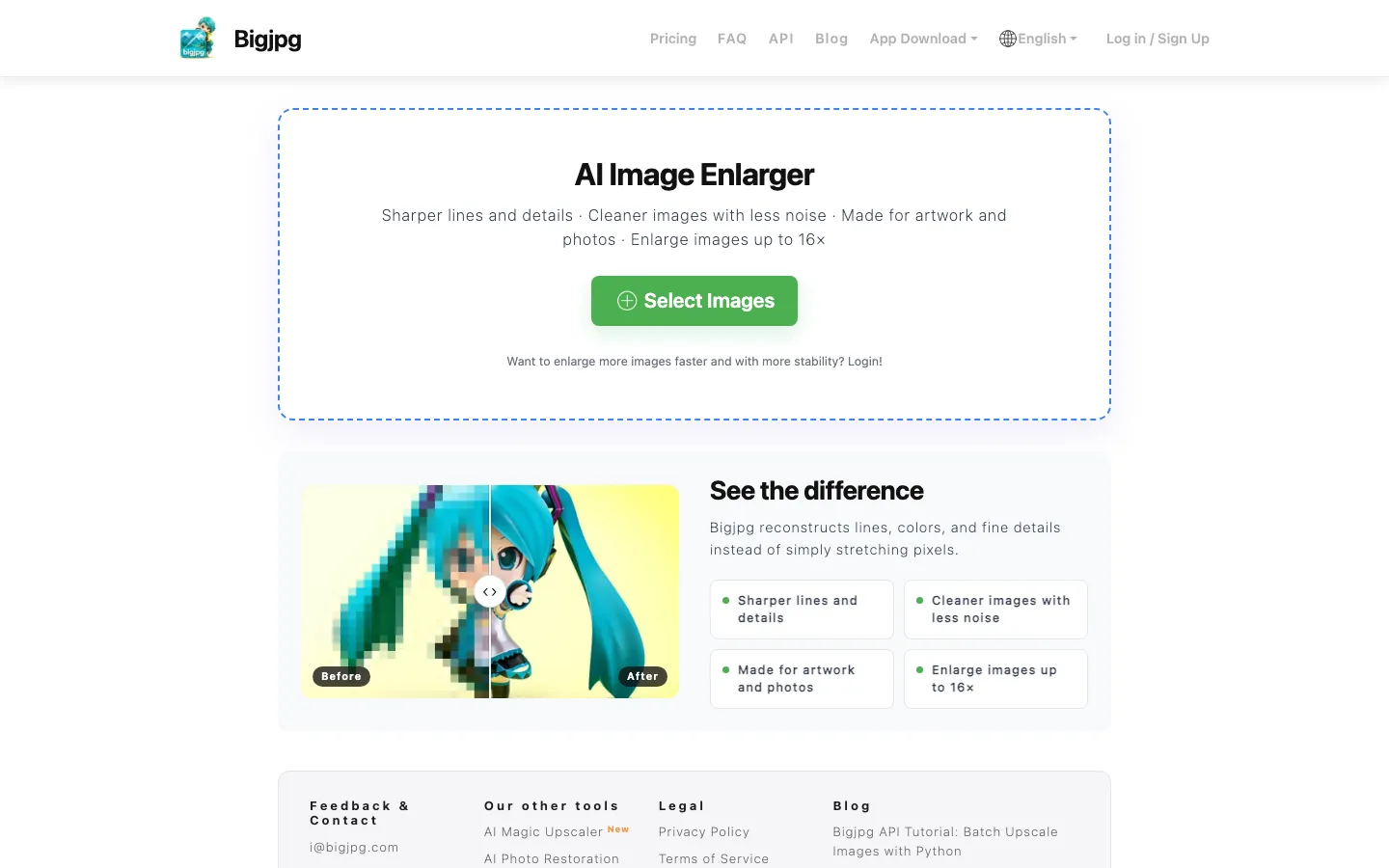
Bigjpg is a web image upscaler run by Guangzhou Datu Technology Co., Ltd. in China. You upload a picture, say whether it is artwork or a photo, choose 2x to 16x enlargement and a noise-reduction level, and download a larger, cleaner copy. It uses deep convolutional neural networks to rebuild lines and detail instead of just stretching pixels. The free tier covers 20 images a month at up to 4x; paid plans add 8x and 16x, 50 MB uploads and batch mode. There are apps for Windows, Mac, iOS and Android.
Our take
Bigjpg suits anyone who wants a quick, cheap upscale of a drawing or photo without installing software. The free tier is small, and paid plans are fixed-length passes with monthly caps rather than unlimited use. Files go to a China-based company's servers on Alibaba Cloud, though the policy promises deletion within 72 hours.
Who it is for
- Anime and illustration fans who want bigger, sharper artwork
- People enlarging small or old photos for print or wallpapers
- Developers who need an upscaling API for batch jobs
Key features
Up to 16x enlargement
Upscales images 2x, 4x, 8x or 16x; free accounts stop at 4x.
Artwork and Photo modes
Lets you tell the model whether the image is a drawing or a photograph before it runs.
Five noise-reduction levels
Removes compression noise at None, Low, Medium, High or Highest strength.
Output format choice
Saves results as WebP by default, or as JPG or PNG.
Batch and parallel jobs
Paid plans process several images at once on faster servers.
Offline enlarging
Logged-in users can close the browser and collect results later; guests must keep the tab open.
Apps and API
Offers Windows, Mac, iOS and Android apps, plus an API with a Python batch tutorial after login.
Bigjpg pricing
Bigjpg has a free option. Paid use starts at $6 for 2 months.
| Plan | Price | What you get |
|---|---|---|
| Free | $020 images/month, 5 MB uploads, up to 4x, slower shared server | 20 images/month, 5 MB uploads, up to 4x, slower shared server |
| Basic | $6 USDone-time2 months; 500 images/month, 50 MB uploads, up to 16x, batch mode | 2 months; 500 images/month, 50 MB uploads, up to 16x, batch mode |
| Standard | $12 USDone-time6 months; 1,000 images/month, 50 MB uploads, up to 16x, batch mode | 6 months; 1,000 images/month, 50 MB uploads, up to 16x, batch mode |
| Premium | $22 USDone-time12 months; 2,000 images/month, 50 MB uploads, up to 16x, batch mode | 12 months; 2,000 images/month, 50 MB uploads, up to 16x, batch mode |
The pricing table prices each paid plan for a fixed duration (2, 6 or 12 months) and does not mention automatic renewal. Payment by Stripe, WeChat Pay, Alipay or crypto (BTC, ETH, USDT). Refund requests must be made within 14 days of purchase.
Prices as published by the maker on Nov 21, 2026 · pricing page. Taxes and regional prices may differ.
Pros and cons
What works
- Free tier of 20 images a month with no payment details.
- Paid plans are cheap: $6 covers 2 months at 500 images a month with 16x.
- The privacy policy says uploads are deleted within 24 to 72 hours and never used to train AI.
- Works in the browser and as apps on Windows, Mac, iOS and Android.
What to watch
- Free uploads are capped at 5 MB and 3000x3000 pixels.
- 8x and 16x need a paid plan.
- Even paid plans have monthly caps of 500 to 2,000 images.
- Refunds must be requested within 14 days and can be refused if much of the plan has been used.
How to use Bigjpg
- 1
Go to bigjpg.com and click Select Images.
- 2
Choose Artwork or Photo, the enlargement (2x to 16x), the noise reduction level and the output format.
- 3
Click Start; keep the tab open unless you are logged in.
- 4
Click Download when the job finishes.
Is Bigjpg safe?
The privacy policy (updated June 23, 2026) says Bigjpg collects your email, username, payment details, uploaded images and device and usage data. Images are deleted within 24 hours on free accounts and 72 hours on premium ones, are not used to train AI models, and sit on Alibaba Cloud OSS, where Alibaba's moderation service scans them for NSFW and prohibited content. The terms say you keep ownership of what you upload.
Bigjpg alternatives
Also worth a look
- Upscayl Free, open-source desktop upscaler for Windows, Mac and Linux.
- waifu2x Free online upscaler built for anime-style art, with noise reduction.
- Let's Enhance Online upscaler and photo fixer that enlarges images up to 512 megapixels.
- Topaz Gigapixel Paid desktop upscaler for Windows and Mac with Photoshop and Lightroom plugins.
More in AI Image & Photo

Rendershop
Turns sketches, CAD views and 3D model screenshots into photoreal architectural renders
Free trial · $9/month

PhotoGenius
One credit balance for many AI image, video and 3D models in the browser
Free trial · $10/month

Photiu.ai
Remove backgrounds, erase objects and upscale photos in the browser, with free previews
Free plan · $1.50 for 5 credits
Bigjpg FAQ
Is Bigjpg free?
Yes, with limits. The free plan gives 20 images a month, uploads up to 5 MB and 3000x3000 pixels, and enlargement up to 4x on a slower shared server.
How much does Bigjpg cost?
Paid plans cost $6 for 2 months (500 images a month), $12 for 6 months (1,000 a month) or $22 for 12 months (2,000 a month). All include 16x and 50 MB uploads.
Is Bigjpg safe?
Its privacy policy says uploads are deleted within 24 hours on free accounts and 72 hours on paid ones and are not used to train AI models. Files are stored on Alibaba Cloud and scanned for NSFW and prohibited content.
Does Bigjpg have an app?
Yes. Bigjpg lists apps for Windows, Mac, iOS and Android next to the website.
Is there a Bigjpg Chrome extension?
Bigjpg.com does not list one. The 'BigJPG AI For Chrome' extension in the Chrome Web Store links to bigjpg.ai, a separate site that does not name its operator.
Does Bigjpg have an API?
Yes. The API appears after you log in, and the site has a tutorial for batch upscaling with Python.