
Rendershop
Turns sketches, CAD views and 3D model screenshots into photoreal architectural renders
Facts checked · 5 sources · Report a correction
What is Rendershop?
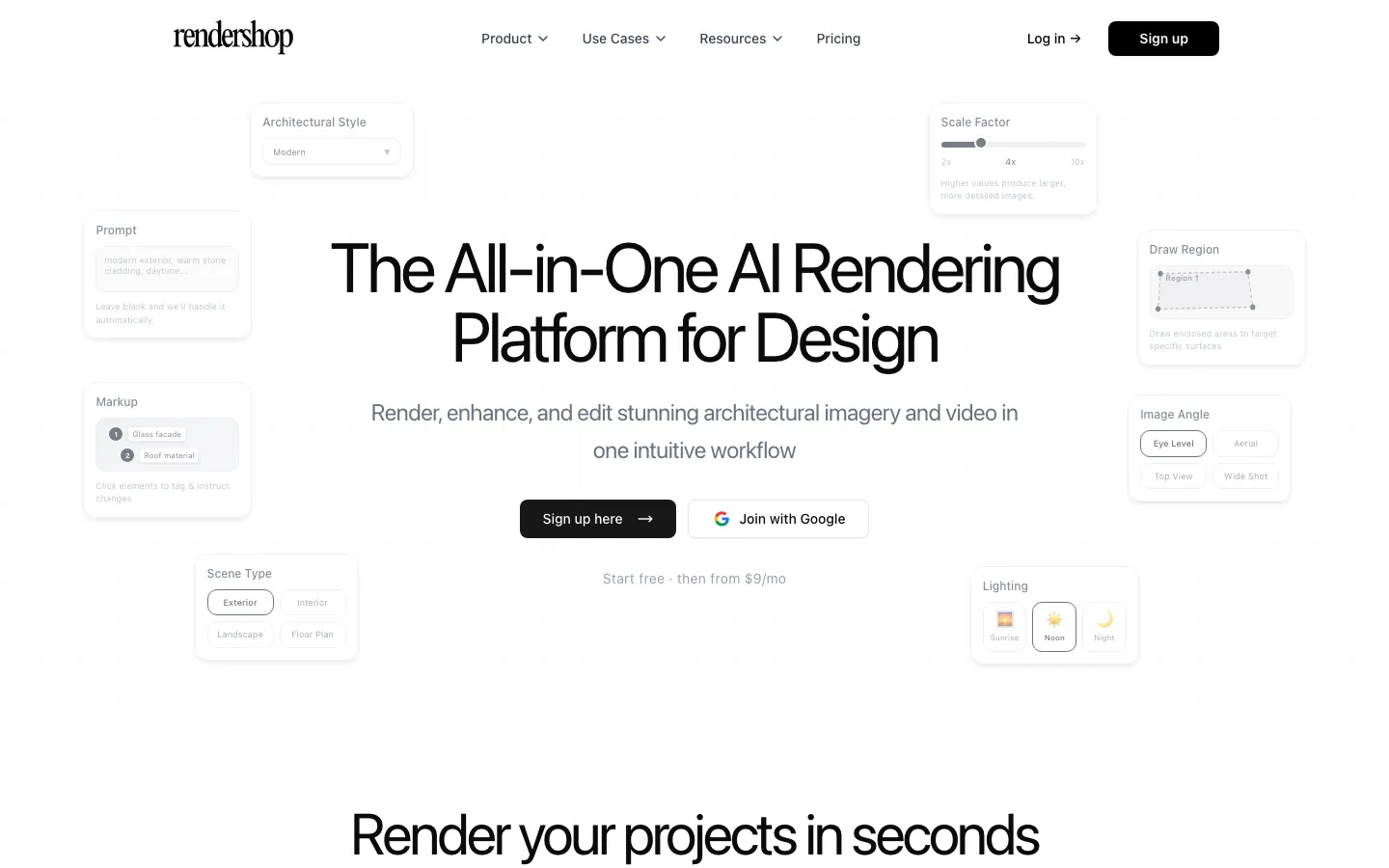
Rendershop is a web platform from Two Cases, LLC for architects, interior designers and developers. You upload a sketch, CAD PDF, SketchUp model, 3D screenshot or photo, choose a style and lighting, and get a photorealistic render, usually in 2-5 minutes. Other tools retexture or edit renders, raise resolution, stage empty rooms with furniture, make walkthrough videos and edit photos. An MCP connector lets you use it from Claude, ChatGPT, Claude Code or Cursor. New users get free credits and plans start at $9/month. The site cites 8,500+ users and 62,000+ renders.
Our take
Rendershop suits architects and designers who want fast concept renders from rough inputs at a low monthly price. The catches are that uploads can train its models unless you opt out, credits expire each month, and nothing is refundable.
Who it is for
- Architects making quick concept renders for clients
- Interior designers and home stagers furnishing empty rooms
- Real estate developers who need marketing images before construction
- Architecture students turning sketches into presentation images
Key features
Sketch to render
Turns sketches, CAD views, elevations and model screenshots into photoreal images in a chosen style and lighting.
Render editing
Retextures surfaces, adds or removes objects and enhances selected areas using markup.
Render enhancement
Improves resolution, lighting and realism in existing renders.
Virtual staging
Furnishes and decorates photos or renders of empty spaces.
Walkthrough video
Creates walkthrough-style videos from renders.
Photo Edit
Removes backgrounds and moves or deletes objects in photos.
MCP connector
Lets Claude, ChatGPT, Claude Code and Cursor run Rendershop tools from a chat.
Rendershop pricing
Rendershop has no free plan. Paid use starts at $9/month.
| Plan | Price | What you get |
|---|---|---|
| Starter | $9/monthmonthly250 credits (about 25 renders) a month, 1K-4K output | 250 credits (about 25 renders) a month, 1K-4K output |
| Basic | $19/monthmonthly500 credits (about 50 renders) a month | 500 credits (about 50 renders) a month |
| Pro | $49/monthmonthly1,500 credits (about 150 renders) a month | 1,500 credits (about 150 renders) a month |
| Business | $119/monthmonthly5,000 credits (about 500 renders) a month | 5,000 credits (about 500 renders) a month |
Prices are per user per month; annual billing saves 20%. New users get free credits at sign-up (amount not stated). All plans include Render, Enhance, Edit and Staging at 1K, 2K or 4K. Unused credits expire at the end of each billing period. Purchases and subscriptions are final and non-refundable except where law requires.
Prices as published by the maker on Nov 21, 2026 · pricing page. Taxes and regional prices may differ.
Pros and cons
What works
- Accepts rough inputs like hand sketches and model screenshots
- Render, edit, enhance, staging and video tools under one plan
- Low entry price of $9/month, with free credits to start
- Renders can be used commercially
What to watch
- Uploads may be used to train its models unless you opt out in settings
- Monthly credits do not roll over
- No refunds on purchases or subscriptions
- Terms forbid using renders as construction plans or permit documents
How to use Rendershop
- 1
Sign up at rendershop.ai to get free starter credits.
- 2
Open the Render tool and upload a sketch, CAD PDF, SketchUp view, 3D screenshot or photo.
- 3
Choose an architectural style, lighting and scene type, and add a reference image if you have one.
- 4
Generate the render; most take 2-5 minutes.
- 5
Refine it with Edit or Enhance, stage the space, or turn it into a video.
Is Rendershop safe?
Privacy policy: uploads, generated assets and project data are stored with third-party cloud and CDN providers and processed on third-party GPU clusters, and inputs are sent to third-party AI providers. Rendershop may use your prompts and images to train its models unless you opt out in account settings. The terms say you own generated assets but grant Rendershop a perpetual, worldwide, royalty-free license to use inputs and outputs.
Rendershop alternatives
Also worth a look
- Veras by Chaos AI rendering inside Revit, SketchUp, Rhino and Archicad.
- mnml.ai Sketch- and CAD-to-render AI studio with design-software plugins and free starter credits.
- D5 Render Real-time 3D renderer with AI tools for full production renders from models.
More in AI Image & Photo

Bigjpg
Enlarges artwork and photos up to 16x with AI and cleans up noise
Free plan · $6 for 2 months

PhotoGenius
One credit balance for many AI image, video and 3D models in the browser
Free trial · $10/month

Photiu.ai
Remove backgrounds, erase objects and upscale photos in the browser, with free previews
Free plan · $1.50 for 5 credits
Rendershop FAQ
Is Rendershop free?
New accounts get free credits to try all the tools. After that, plans start at $9/month for 250 credits.
How much does Rendershop cost?
Starter is $9/month (250 credits), Basic $19/month (500), Pro $49/month (1,500) and Business $119/month (5,000), per user. Annual billing saves 20%.
Can I use Rendershop renders commercially?
Yes. Rendershop says renders are yours to use commercially. Its terms say they must not replace professional plans or be submitted to authorities as approved drawings.
Does Rendershop train AI on my designs?
Its privacy policy says it may use your prompts and uploaded images to train its models unless you opt out in account settings. Inputs are also sent to third-party AI providers for processing.
Is rendershop.com the same site?
No. The product is at rendershop.ai; rendershop.com redirects to a domain-sale page.
Does Rendershop work with ChatGPT or Claude?
Yes. It offers an MCP connector for Claude, ChatGPT, Claude Code and Cursor.