
PhotoGenius
One credit balance for many AI image, video and 3D models in the browser
Facts checked · 8 sources · Report a correction
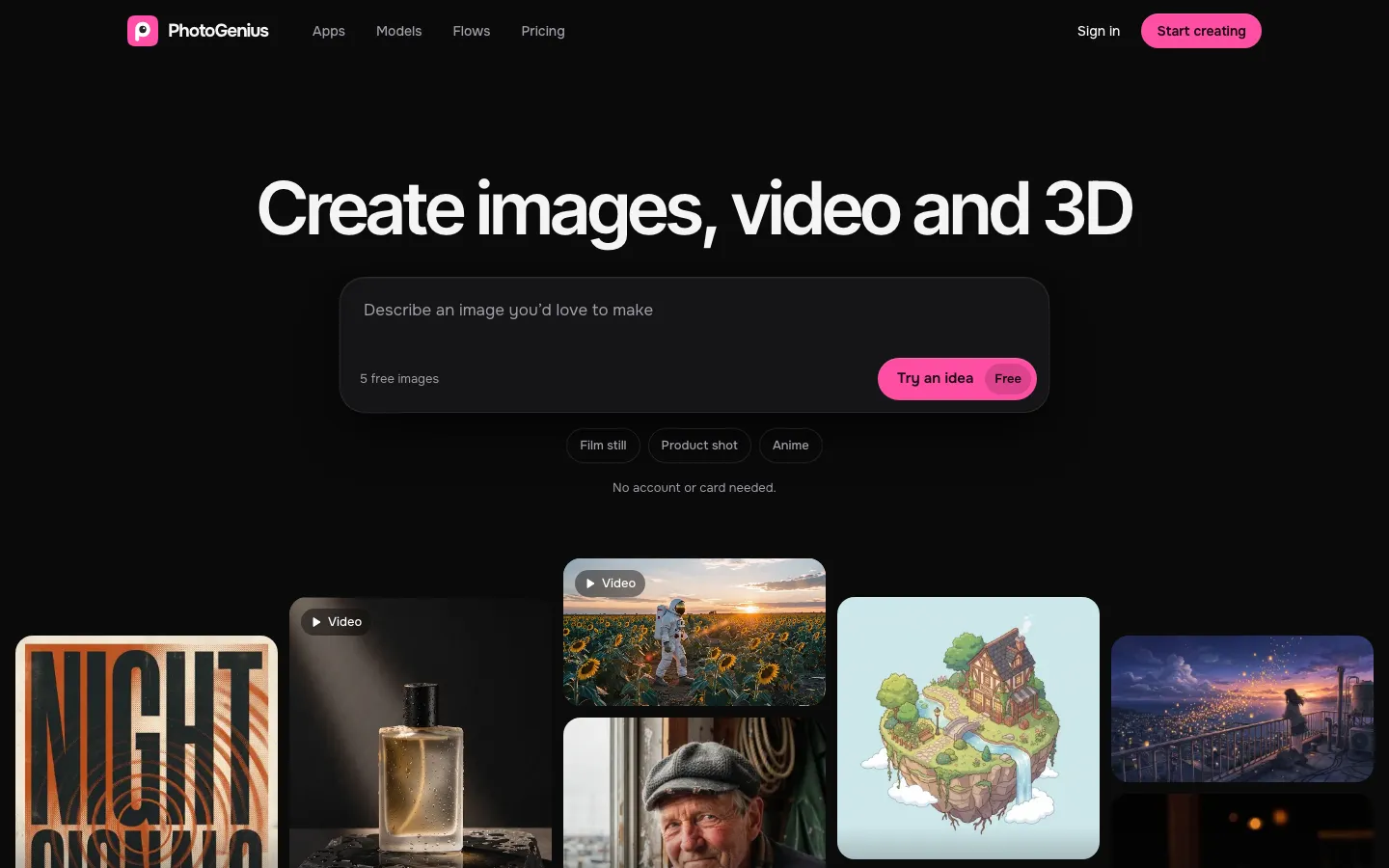
What is PhotoGenius?
PhotoGenius is a web studio from Helium Technologies for making images, videos and 3D models with many third-party AI models in one place, including Nano Banana Pro, GPT Image 2.5, FLUX 3, Veo 3.1, Kling 3.0, Sora 2 and Hunyuan3D 3.1. You pick a studio and a model, enter a prompt or upload an image, and spend credits from a monthly plan. It also offers 28 one-click apps, such as product photoshoots, relighting and headshots, and Flows for repeatable multi-step jobs. Five free images need no account.
Our take
PhotoGenius suits people who want to try many current image, video and 3D models from one bill instead of several subscriptions. The catches are a tiny free trial, credits that expire every 30 days, commercial rights only from the $20 plan, and no refunds on yearly plans.
Who it is for
- Creators who want to compare image and video models without separate subscriptions
- Small businesses making product photos, ads and headshots
- Hobbyists turning text or photos into 3D models
Key features
Image Studio
Generates and edits images up to 4K with models such as Nano Banana Pro, GPT Image 2.5, FLUX 3 and Seedream 5 Pro.
Video Studio
Makes clips with sound from a prompt or a still image using models such as Veo 3.1, Kling 3.0 and Sora 2.
3D Studio
Turns text or photos into GLB 3D models with PBR textures using Rodin, Tripo, TRELLIS.2 and Hunyuan3D.
One-click apps
Offers 28 preset tools for jobs such as product photoshoots, relighting and professional headshots.
Flows workflow builder
Lets you chain steps into a reusable workflow.
Credit refunds on failures
Returns the credits automatically when a generation fails.
No-account trial
Makes 5 free images with FLUX.2 Klein before you sign up.
PhotoGenius pricing
PhotoGenius has no free plan. Paid use starts at $10/month.
| Plan | Price | What you get |
|---|---|---|
| Free generator | $05 images with FLUX.2 Klein, no account | 5 images with FLUX.2 Klein, no account |
| Creator | $10/monthmonthly100 credits a month (about 50 images or 2 videos); commercial use not included | 100 credits a month (about 50 images or 2 videos); commercial use not included |
| Pro | $20/monthmonthly300 credits a month (about 150 images or 6 videos), commercial use, early access to new models | 300 credits a month (about 150 images or 6 videos), commercial use, early access to new models |
| Business | $30/monthmonthly1,000 credits a month (about 500 images or 20 videos), priority processing and support | 1,000 credits a month (about 500 images or 20 videos), priority processing and support |
Yearly billing saves 20% (the homepage shows Creator at $8 a month billed yearly). Credits reset every 30 days and do not roll over, and the cost per job depends on model, resolution and length. Payments go through Stripe.
Prices as published by the maker on Nov 21, 2026 · pricing page. Taxes and regional prices may differ.
Pros and cons
What works
- About 20 leading image, video and 3D models share one credit balance.
- Credits for failed generations come back automatically.
- You can try 5 images without an account.
- Images up to 4K, and 3D export as GLB with PBR textures.
What to watch
- Credits reset every 30 days and do not roll over.
- Commercial use starts at the $20 Pro plan; Creator does not include it.
- No refunds on yearly plans; monthly plans can get a 50% refund within 30 days if approved.
- The privacy policy is short and does not say whether prompts or uploads train models.
How to use PhotoGenius
- 1
Open photogenius.ai and try the free generator, which needs no account.
- 2
Choose a plan, then pick Image, Video or 3D Studio, or one of the one-click apps.
- 3
Select a model and enter a prompt or upload a reference image.
- 4
Generate; the credit cost depends on the model, resolution and length.
- 5
Download the result or keep editing from it.
Is PhotoGenius safe?
The privacy policy (last updated October 10, 2024) says PhotoGenius stores the images generated on the platform and basic account information, and takes deletion requests at team@photogenius.ai; it does not say whether prompts or uploads are used to train models. The terms (updated October 21, 2026) ban nudity and other sexual content, non-consensual intimate imagery, unauthorized use of real people's likenesses and deceptive deepfakes, and note that outputs may carry watermarks or provenance data from model providers.
PhotoGenius alternatives
More in AI Image & Photo

Rendershop
Turns sketches, CAD views and 3D model screenshots into photoreal architectural renders
Free trial · $9/month

Bigjpg
Enlarges artwork and photos up to 16x with AI and cleans up noise
Free plan · $6 for 2 months

Photiu.ai
Remove backgrounds, erase objects and upscale photos in the browser, with free previews
Free plan · $1.50 for 5 credits
PhotoGenius FAQ
Is PhotoGenius AI free?
Only as a trial: the free generator makes 5 images with FLUX.2 Klein without an account. The studios, apps and Flows need a paid plan, from $10 a month.
Can I use PhotoGenius images commercially?
Commercial use is included on the Pro ($20 a month) and Business ($30 a month) plans. The Creator plan does not list it.
Does PhotoGenius have an app?
PhotoGenius.ai is a web app and does not list mobile apps. The iPhone app called 'PhotoGenius: AI Photo Enhancer' comes from a different developer, Ruvix Ltd.
Can I get a refund from PhotoGenius?
Yearly plans are not refundable. Monthly plans can get a 50% refund within 30 days if approved, and failed generations return their credits automatically.
Do PhotoGenius credits roll over?
No. Credits reset to your plan's allowance every 30 days.
Who owns PhotoGenius?
The site's footer and terms name Helium Technologies as the operator. No address is published.