
Photiu.ai
Remove backgrounds, erase objects and upscale photos in the browser, with free previews
Facts checked · 7 sources · Report a correction
What is Photiu.ai?
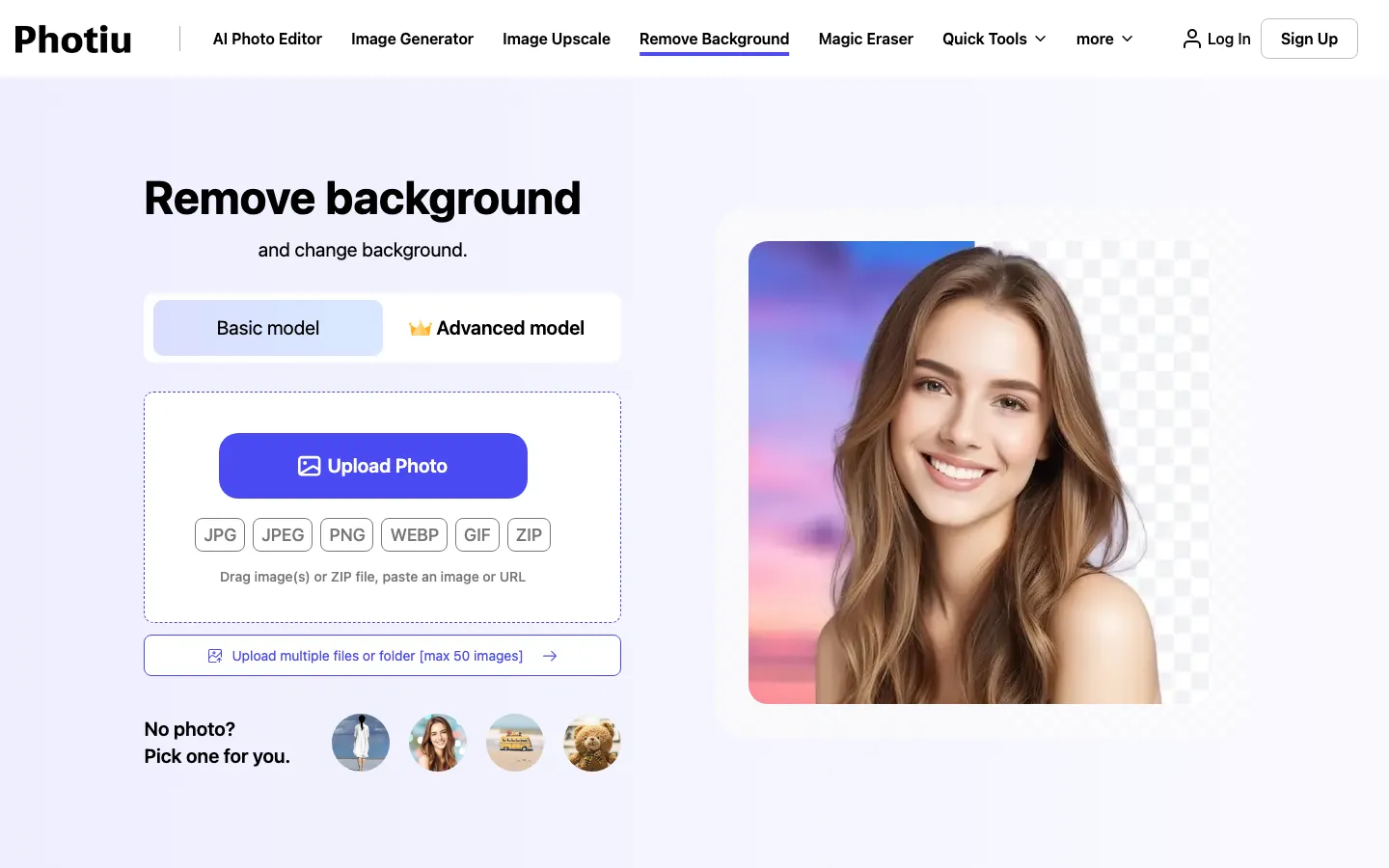
Photiu.ai is a browser-based photo editor run by Photiu International Co. Limited. Its main tool removes an image's background in one step and lets you keep it transparent, fill it with a color or put the subject on a new image. The site also has a magic eraser for unwanted objects, an upscaler up to 4K, unblur and enhance tools, an image generator, and small utilities such as resizing, compression and HEIC to JPG. Standard-quality results are free; HD downloads cost credits.
Our take
Photiu.ai suits quick cutouts for web use, where the free 0.25 MP output is often enough. Anyone who needs full-resolution files pays per image through credits, which is cheap at volume but not free, and the site is vague about how long it keeps uploads.
Who it is for
- Online sellers who need product photos on clean backgrounds
- Social media users making cutouts and profile pictures
- Anyone who needs a quick photo edit without installing software
Key features
Background remover
Detects the subject and removes the background, with a basic and an advanced model to choose from.
Background replacement
Puts a solid color, an AI-generated scene or your own image behind the cutout.
Magic eraser
Removes unwanted objects or people from a photo.
Image upscaler
Raises image resolution up to 4K.
Unblur and enhance
Sharpens blurry photos and improves overall image quality.
Batch uploads
Accepts up to 50 images at once in JPG, JPEG, PNG or WEBP.
Quick tools
Includes an image resizer, compressor, HEIC to JPG converter and font generator.
Photiu.ai pricing
Photiu.ai has a free option. Paid use starts at $1.50 for 5 credits.
| Plan | Price | What you get |
|---|---|---|
| Free | $0Standard quality up to 0.25 MP; 2 credits at sign-up plus 2 credits a day, basic models only | Standard quality up to 0.25 MP; 2 credits at sign-up plus 2 credits a day, basic models only |
| 5 credits | $1.50credits$0.30 per credit; 1 credit per HD image | $0.30 per credit; 1 credit per HD image |
| 20 credits | $4.99creditsAbout $0.25 per credit | About $0.25 per credit |
| 60 credits | $10.99creditsAbout $0.18 per credit | About $0.18 per credit |
| 150 credits | $23.99credits$0.16 per credit | $0.16 per credit |
| 300 credits | $39.99creditsAbout $0.13 per credit | About $0.13 per credit |
| Enterprise | Custom (contact sales)creditsAPI access, adjustable rate limits, volume pricing, priority support | API access, adjustable rate limits, volume pricing, priority support |
Pay-as-you-go only, no subscription. Purchased credits are valid for up to two years from purchase. The price table loads by script; figures read November 21, 2026.
Prices as published by the maker on Nov 21, 2026 · pricing page. Taxes and regional prices may differ.
Pros and cons
What works
- Free standard-quality downloads without buying anything
- Pay-as-you-go credits instead of a subscription
- Several editing tools on one site, from object removal to upscaling
- Batch processing of up to 50 images
What to watch
- Free results are capped at 0.25 MP, which is small for print or large product images
- HD downloads cost 1 credit each, about $0.13 to $0.30 depending on pack size
- The privacy policy does not say how long uploads are kept before deletion
- Web only; we found no mobile app
How to use Photiu.ai
- 1
Open the background remover and upload, paste or drag in a photo, or enter an image URL.
- 2
Choose the basic or advanced model.
- 3
Let it remove the background, then keep it transparent or pick a color or new image behind the subject.
- 4
Download the free standard-quality file, or spend 1 credit for the HD version.
Is Photiu.ai safe?
Privacy policy (updated October 2, 2026): prompts and images are processed temporarily and scanned by automated systems for policy violations; non-violating data is deleted, with no time frame given. Server logs are kept up to three months. Google sign-in is optional, and the policy says Google user data is not used to train general AI models. The Terms ban pornography, non-consensual intimate content and impersonation.
Photiu.ai alternatives
Also worth a look
- remove.bg Dedicated background remover with an API and desktop apps.
- Photoroom Product photo editor with background removal on web and mobile.
- Adobe Express Free background remover inside Adobe's design app.
- Canva Design platform with a background remover on paid plans.
More in AI Image & Photo

Rendershop
Turns sketches, CAD views and 3D model screenshots into photoreal architectural renders
Free trial · $9/month

Bigjpg
Enlarges artwork and photos up to 16x with AI and cleans up noise
Free plan · $6 for 2 months

PhotoGenius
One credit balance for many AI image, video and 3D models in the browser
Free trial · $10/month
Photiu.ai FAQ
Is Photiu.ai free?
Partly. Standard-quality downloads up to 0.25 MP are free, and accounts get 2 credits at sign-up plus 2 a day for basic models. HD downloads use credits.
How much does Photiu.ai cost?
There is no subscription. Credit packs run from 5 credits for $1.50 to 300 credits for $39.99, one credit per HD image, valid for up to two years.
What file types does Photiu.ai support?
JPG, JPEG, PNG and WEBP, with up to 50 images per batch.
Does Photiu.ai keep my photos?
Its privacy policy says uploads are processed temporarily, scanned automatically for policy violations, and then deleted, but it gives no time frame. Server logs are kept for up to three months.
Does Photiu.ai have an API?
Yes, through its Enterprise plan, which offers API access with volume pricing on request.